MaxoTel for Insurance Brokers: Setting Up a Phone System That Produces Usable Data
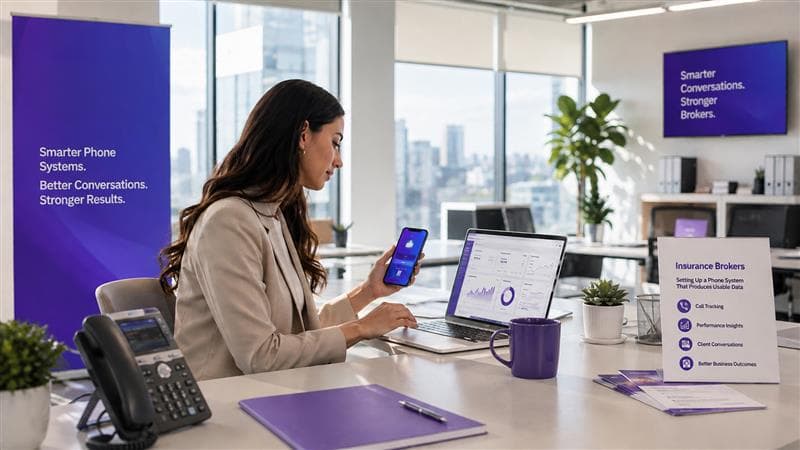
A hosted phone system keeps two separate kinds of record about the calls it handles: a call detail record, and, where recording is enabled for those calls, the audio itself. What each one can tell you six months later depends on how the system was configured at setup. This article covers how MaxoTel's hosted PBX handles routing, recording and call history for an insurance brokerage, which settings shape the quality of the data that comes out, and where the phone system's own reporting reaches its limit.
The Phone Is Where the Brokerage Relationship Is Maintained
Broker relationships in Australia run long. According to the 2026 Vero SME Insurance Index, 80 per cent of businesses used a broker in the past year, and 42 per cent have used the same broker for more than three years. Client satisfaction with brokers sat at 69 per cent across both SMEs and large businesses. The Index surveyed more than 1,500 Australian businesses across micro, small, medium, large and very large segments.
Those are relationships measured in years, and a good deal of the contact that sustains them runs through the phone. A renewal conversation, a mid-term adjustment, a first notification of a claim, a new enquiry from a referral: each of these can arrive as a call, get handled by whoever is available, and end. What remains afterwards depends on what the phone system was configured to keep.
For a brokerage running on a hosted PBX, that configuration is not a one-off IT task. It shapes what management will be able to see later. Call volume by month, how quickly calls were answered, which numbers generate the most inbound activity, whether a particular conversation can be retrieved twelve months on: all of it is downstream of choices made in the account portal, often during setup, often without anyone weighing the reporting consequences at the time.
MaxoTel names brokerage as one of the segments it builds for, and its own brokerage page covers mortgage, insurance and stock broking. The system is capable. The question worth spending time on is which of its settings produce usable data and which quietly close the door on it.
What a Phone System Records, and What It Does Not
A hosted PBX produces two kinds of record, and they are not the same thing.
The first is the call detail record. Inbound and outbound calls on the service appear in Call History whether or not recording is switched on. MaxoTel exposes these through the Call History API, which returns records in JSON or CSV for a nominated time period. Each record carries a unique call ID, the date and time, the direction, the originating and terminating numbers, the call duration in seconds, the completion status, the cost, and a flag indicating whether a recording exists for that call. Access requires an API key with Call History read permission, generated from the account portal.
That is a precise, structured, machine-readable log of call activity. It is also a log built around numbers. The documented fields identify the party at each end of the call, and none of them names the staff member who took it. The API documents the destination field as the terminating party number, while the portal's call history view additionally shows the type of destination for inbound calls. Exactly what appears there for a given queue or ring group is worth checking against your own configuration rather than assuming, because the documentation does not specify it. For a brokerage, the practical consequence is that the export answers questions about lines and volumes well, and questions about individual brokers only as far as the routing structure allows.
The completion status field is worth understanding early, because it carries a caveat that matters for anyone measuring answer rates. The portal filters calls by answered, meaning connected, or unanswered. MaxoTel notes that where an IVR is in use, a call is marked connected as soon as the IVR picks up. A brokerage whose main number opens with a menu will therefore see a high connected rate that reflects the menu answering rather than a person. That is not a fault in the reporting, but it does mean the raw connected figure needs reading alongside how the front of the call flow is built.
Queue performance sits in a different place again. MaxoTel's queue statistics report on wait times, staff and abandoned calls, which is where a brokerage would look to see how quickly calls are being answered and which times of day carry the heaviest load.
The second kind of record is the recording. MaxoTel's call recording applies to inbound calls, outbound calls, or both, subject to the global configuration and any per-extension exclusions, and a recording is retrievable against its entry in Call History. That gives you the conversation itself.
The two records meet at exactly one point. The call detail record carries a flag showing whether a recording exists for that call, which is enough to tell you that audio is available and nothing at all about what is in it. Finding the recording is a lookup. Knowing what was said in it is a different job.
The gap between the two is worth being precise about, because it shapes everything that follows. The call detail record tells you that a conversation happened, for how long, and between which numbers. The recording holds what was actually said, as audio. Reviewing that audio manually means working through it one call at a time, which is why a week of renewal conversations is easy to store and hard to summarise.
Your phone system already knows every call happened. Callyx.ai works out what was said in them.
Callyx.ai automatically monitors 100% of your recorded calls, turning the audio your phone system stores into information you can act on.
The Settings That Shape What You Can Learn Later
Retention is governed by two settings at once
MaxoTel's recording retention depends on both a disk space quota and a delete-after period. When the quota is exceeded, the oldest recordings are automatically overwritten by new calls, regardless of the delete-after setting. The documentation is direct about the consequence: once a recording has been deleted by the retention policy, MaxoTel's team cannot retrieve it. For a brokerage that may need to produce a client conversation well after the fact, the interaction between those two settings is worth checking rather than assuming.
Backups run overnight, and that is usually fine
The recording system supports automatic backup to Google Drive, Dropbox or an FTP server, which puts a second copy outside the retention policy. Backups run automatically overnight. Same-day recordings that have not yet been backed up remain available through the user portal, so nothing is lost in the interim, but it is useful to know which copy you are working from during a same-day dispute.
Per-extension recording exclusions behave more narrowly than they look
An extension can be set to Do Not Record through its advanced options. That setting applies to outbound calls placed by the extension and to calls arriving on a direct number for it. Calls that reach the same extension through a queue or a ring group are still recorded. Both behaviours can be the right one, but a coverage picture built on the assumption that the exclusion is absolute may not match what the system is actually doing.
Dynamic recording controls are available by default
Where recording is enabled, MaxoTel documents dial codes that pause and resume a recording during a call, stop and delete a recording in progress, and manually choose whether or not to record an outbound call. These controls can be switched off in the recording configuration. Leaving them on is a reasonable choice for a brokerage that takes card details over the phone. Switching them off is a reasonable choice for one that wants uniform coverage. The decision is worth making deliberately rather than inheriting.
Routing decides how separable your call types are later
This is the setting with the longest reach, and the most dependable way to make call types distinguishable in the record is to give them different inbound numbers. MaxoTel supports adding Australian phone numbers individually or in bulk alongside 1300 and 1800 numbers, and the number a client dialled appears in every call detail record. Where a renewal line, a claims line and a general line are separate published numbers, the record separates those call types for you at no ongoing cost. Where everything arrives on one number and is split behind the scenes, the portal's destination column may still show the type of destination for inbound calls, but the API documentation does not commit to what that field returns for a given queue. Test a month of export against your own configuration before building reporting that depends on it.
Consent and retention obligations sit alongside these settings and are a separate question from how the system is configured. We have covered call recording compliance in Australia separately.
Routing Four Common Brokerage Call Types
| Call type | Routing path | Why |
|---|---|---|
| New enquiry | Own published number, queue during business hours, out-of-hours to voicemail | Keeps new business volume separate from servicing volume in the call record, and gives after-hours enquiries somewhere deliberate to land |
| Renewal | Own published number, queue with recording enabled | Queue reporting covers wait and abandonment through renewal season, and the conversation stays retrievable against the policy |
| Claim | Ring group including external mobiles, caller ID pass-through enabled | Speed of answer matters more than queue reporting, and pass-through keeps the client's number visible to whoever picks up |
| General administration | Shared queue, reached by its own number or an IVR option | Keeps low-urgency traffic out of the renewal and claim paths so their figures reflect real client demand |
Illustrative. The four call types represent a common brokerage pattern rather than measured data, and the routing recommendations follow from documented MaxoTel behaviour rather than a specific implementation.
What Good Looks Like
Call types are separated at the front door
Renewals, claims, new enquiries and general administration are reachable on distinct published numbers, each with its own path behind it. This is the single decision that gives the call detail record analytical value, because the dialled number is carried in every record without anyone maintaining it.
Queues and ring groups are chosen for what each one does
A ring group rings multiple extensions simultaneously with a single call, so anyone in the group can answer. A queue holds callers in line with hold audio, and MaxoTel's ACD queue statistics report on wait times, staff and abandoned calls. A four-person renewals team is often better served by a queue, because that reporting comes with it. An after-hours claims path may be better as a ring group to external mobiles, with caller ID pass-through enabled so the client's number stays visible to whoever picks up.
Time-based routing is configured, including public holidays
MaxoTel describes time-based call routing on an hourly or daily basis with public holiday support built in. Setting business hours per path, and giving out-of-hours calls somewhere deliberate to go, is worth doing before the first public holiday rather than after it.
Recording is configured deliberately rather than inherited
The global inbound and outbound settings, any per-extension exclusions and the dynamic recording controls are all decisions. Narrowing coverage is a decision, and so is leaving it wide.
Retention is set against a real requirement, with backup enabled
The disk quota and delete-after period are set against how long the brokerage actually needs conversations available, and backup to Google Drive, Dropbox or an FTP server runs so the retention policy is not the only thing standing between the business and a deleted recording.
Where each part of the picture lives
The call history export
Call volume, duration, cost, direction and whether audio exists for a given call.
ACD queue statistics
Wait times, staffing and abandoned calls for each queue you have configured.
The recording itself
The conversation as it actually happened, retrievable against its entry in Call History.
A well-configured phone system tells you every call happened. Callyx.ai tells you how they went.
Callyx.ai automatically monitors 100% of your recorded calls, turning the conversations your brokerage already records into information about what was discussed and where a call could have gone better.
Book a DemoHow Callyx.ai Fits
A well-configured MaxoTel system answers the operational questions. How many calls came in and how long they ran comes from the call history export. How fast they were answered and when the peaks fall comes from the queue statistics. Which conversations have audio attached is flagged in the record.
The questions it is not built to answer are the ones about content. Which renewal conversations raised a coverage concern that nobody logged. Whether a disclosure was actually made on the call, and on how many calls. How a newer team member handles a client who opens by saying the premium has gone up again. Those answers sit in the recordings, and getting at them by hand means listening to individual calls one after another.
Callyx.ai automatically monitors 100% of your recorded calls. It transcribes and analyses recorded conversations, turning audio that can only be reviewed one call at a time into something a principal can look at across a whole week of client contact. The call detail record says a 14-minute call happened on Tuesday. Transcription and analysis of that recording is what turns it into a conversation you can read.
The 2026 Vero SME Insurance Index gives some useful context on how clients feel about this. It found 55 per cent of businesses comfortable with their broker using AI to support insurance-related processes, with comfort higher for administrative tasks such as reporting a claim, and lower, at 40 per cent, for AI supporting a claim outcome decision. Reading those figures together, the pattern suggests clients draw a line between AI assisting the work and AI making the call. Analysis of conversations that have already happened sits on the assisting side of that line, though the Index measured comfort with insurance processes generally rather than with call analysis specifically.
Setting It Up
Map your call types before opening the portal
List the reasons clients ring the brokerage, then group them into the smallest number of categories that are genuinely handled differently. For most brokerages that is four or five. This list becomes the routing structure, and it is much cheaper to get right on paper than to restructure once numbers are published and habits have formed.
Give each call type its own number and its own path
Separate published numbers are what make call types reliably distinguishable in the record afterwards. Behind each number, choose a queue where you want the wait and abandonment reporting, or a ring group where speed of answer matters more. MaxoTel publishes a worked example of a queue combined with a time switch that is a reasonable starting point, listed in Primary Sources below.
Set recording configuration in one sitting
Decide the global inbound and outbound settings, any per-extension exclusions, whether dynamic recording controls stay on, the disk quota, the delete-after period and the backup destination. These interact with each other, so working through them together produces a more coherent result than changing one at a time as questions arise.
Configure time switches and public holidays
Set business hours per path, and decide deliberately where out-of-hours calls should go, whether that is a voicemail box, an announcement or a mobile. Leaving it undecided is the option that gives you the least to work with afterwards.
Generate an API key and pull a month of history
Create a key with Call History read permission, export a month of call detail records as CSV, and look at what actually comes back. This is the fastest way to confirm the routing structure is producing separable data, and it is far better to find a gap after one month than after a renewal season.
Pulling that first export also establishes it as a repeatable task, which is what any later reporting or post-call automation work will build on.
Summary
A hosted PBX is the operating surface for a good deal of what a brokerage does, and its configuration is a reporting decision as much as a telephony one. MaxoTel gives a brokerage real control over routing, recording and retention, and it exposes call history through an API in a format that can be analysed. Separating call types onto their own numbers, choosing queues and ring groups for what each one measures, setting retention against a genuine requirement and enabling backup will give a brokerage a structured record of call activity that holds its value over time.
That record describes the shape of the conversations. What was said inside them stays in the audio, which is where Callyx.ai works: transcribing and analysing recorded calls, and turning a library of individual files into something a principal can act on across a whole week of client contact.
Frequently Asked Questions
About the Author
Vincent Keogh
Vincent is an operations specialist on the Callyx.ai team, writing for compliance managers and principals on how to get maximum value from recorded calls: across compliance, staff training, and business performance.
Primary Sources
- MaxoTel, Business Phone System Features
- MaxoTel, API - Call History/CDR Documentation
- MaxoTel, Call Recording (account portal guide)
- MaxoTel, Call Recording (feature overview)
- MaxoTel, ACD Queue Statistics
- MaxoTel, Hosted PBX for Brokerages
- MaxoTel, PBX Setup Example: Queue with Time Switch
- MaxoTel, Portal Guide - Call History
- MaxoTel, Standard Australian Phone Numbers
- Suncorp Group, Vero's 2026 annual SME Insurance Index
Related Articles
Your calls are already being recorded.
Now make them count.
Recorded advice conversations are reviewed against your compliance criteria, with issues flagged and documented. Less reliance on sampling. Fewer blind spots.